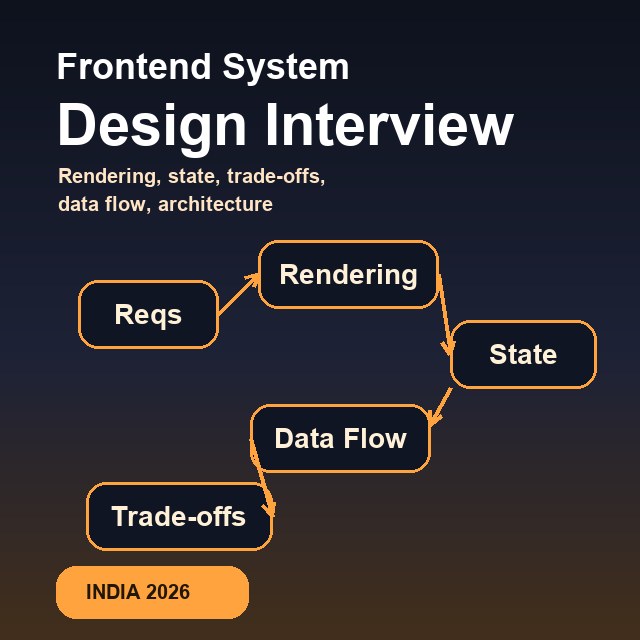
Frontend system design is where many mid-level engineers hit a wall. They know React, they can ship features, they can debug production issues, but in a design round they struggle to explain trade-offs, structure the problem, and make decisions under ambiguity.
That is why this round exists. Interviewers are not testing whether you know the fanciest pattern. They are testing whether you can reason like someone trusted with an important surface: define the problem clearly, identify constraints, choose a rendering strategy, model state, discuss performance, and explain what you would optimize first.
This guide is written for Indian frontend engineers interviewing at product companies where frontend design rounds increasingly show up at SDE-2, senior frontend, and staff-leaning levels.
Methodology note: This article is based on recurring frontend system design patterns seen in candidate prep, public engineering write-ups, product-company expectations, and practical frontend architecture work. Company examples are included as useful context, not as claims of official interview transcripts.
What Is a Frontend System Design Interview?
A frontend system design (HLD) interview asks you to architect a large-scale UI feature — not build it. You have 45–60 minutes to discuss how you would design something like:
- Swiggy's real-time delivery tracking screen
- Razorpay's payment dashboard
- CRED's home feed for 10M+ users
Unlike backend system design (databases, load balancers, microservices), frontend system design focuses on:
- Rendering strategy — SSR vs CSR vs ISR, when and why
- State management — what lives where, how it flows
- Data fetching — REST vs GraphQL, caching, real-time patterns
- Performance — Core Web Vitals, virtualization, lazy loading
- Component architecture — how you break down a complex UI
- Scalability — how your design handles 10x the traffic
Note: This is different from machine coding (build it now) and different from backend system design (databases, servers). It's specifically about frontend architecture at scale.
When This Round Usually Shows Up
| Company | When It Appears | Level |
|---|---|---|
| Razorpay | Round 3 (after machine coding) | SDE-2, Senior SDE |
| Swiggy | Round 4 | SDE-2, Senior SDE |
| PhonePe | Round 4 | Web Engineer 2+ |
| CRED | Combined with HM round | SDE-2, Senior SDE |
| Flipkart | Round 5 | UI Engineer 2+ |
| BrowserStack | Round 3 | SDE-2+ |
If you're interviewing for a SDE-1 role, you may skip this round. Once you're interviewing for execution-plus-ownership roles, assume some version of it can appear.
The RADIO Framework — Adapted for India
The best-known framework for frontend system design is RADIO, developed by GreatFrontEnd. It works well for US Big Tech interviews. For Indian product companies, you need a slightly adapted version that emphasizes India-specific constraints: patchy 4G networks, low-end Android devices, regional languages, and high-scale consumer traffic.
R — Requirements
Spend 5 minutes clarifying before designing anything. Indian companies value engineers who ask the right questions, not engineers who assume.
Always ask:
Functional requirements:
- What is the core user action? (pay, order, track, browse)
- What are the edge cases? (payment failed, no network, empty state)
- Mobile-first or desktop-first?
- Does it support multiple languages? (Hindi, Tamil — common for Meesho, PhonePe)

Non-functional requirements:
- Scale: DAU? Concurrent users? (Swiggy peak = 7–10 PM dinner rush)
- Performance target: LCP < 2.5s? FCP < 1.8s?
- Network: 2G/3G support? (critical for Meesho's Tier-2 India users)
- Devices: What's the minimum supported device? (₹8,000 Android?)
- Offline support needed? (critical for delivery partner apps)
A — Architecture
Identify the major components and their responsibilities. For frontend, this means:
1. Rendering layer     → Next.js pages, React components, Server/Client split
2. State layer         → Zustand store, React Query cache, local component state
3. Data layer          → API calls, WebSocket connections, local storage
4. Routing layer       → URL structure, protected routes, navigation
5. Styling layer       → Design tokens, responsive breakpoints
Draw a simple box diagram. Label each box. Explain what data flows between them.
D — Data Model
Define the TypeScript interfaces for your main entities. This is often skipped by mid-level candidates — senior engineers always define the data model.
// Example: Swiggy delivery tracking
interface Order {
  id: string;
  status: "placed" | "confirmed" | "cooking" | "picked_up" | "delivered" | "failed";
  estimatedDelivery: Date;
  restaurant: Restaurant;
  items: OrderItem[];
  driver?: Driver;
}

interface Driver {
  id: string;
  name: string;
  phone: string;
  location: LatLng;  // Real-time, updated via WebSocket
  photoUrl: string;
}

interface LatLng {
  lat: number;
  lng: number;
}
This tells the interviewer you think about data contracts, not just UI.
I — Interface Definition (API Design)
Define the API contract between frontend and backend. Even if backend will design it, senior frontend engineers influence the API shape.
// REST endpoints for delivery tracking
GET  /api/orders/:orderId              → Order (initial load)
GET  /api/orders/:orderId/driver       → Driver (initial position)

// WebSocket events
WS   /ws/orders/:orderId
     ← order:status_update  { status: OrderStatus }
     ← driver:location      { lat: number, lng: number }
     ← order:eta_update     { estimatedMinutes: number }
O — Optimizations
This is where you separate yourself. Cover at minimum:
- Performance — lazy loading, code splitting, virtualization, image optimization
- Network — caching strategy, retry logic, offline handling
- UX — skeleton screens, optimistic updates, error recovery
- Accessibility — ARIA, keyboard navigation, screen reader support
Five Frontend Design Problems Worth Practicing
1. Design Swiggy's Delivery Tracking Screen
Example interview scenario: delivery tracking for a consumer app
The design:
Components:
├── OrderStatusBar      → Step indicator (placed → cooking → delivered)
├── EstimatedTimeCard   → ETA with live countdown
├── MapView             → Delivery partner position (Google Maps / Mapbox)
├── DriverInfoCard      → Name, photo, contact
└── OrderSummaryCard    → What they ordered

State:
  - Order status:  Server-driven (WebSocket push)
  - Driver location: WebSocket (update every 5s)
  - ETA:           Re-calculated on server, pushed via WebSocket

Network strategy:
  - Initial load:  REST GET /orders/:id (SSR for instant HTML)
  - Live updates:  WebSocket connection (not polling — battery drain)
  - Reconnection:  Exponential backoff (1s, 2s, 4s, 8s, max 30s)
  - Background:    Pause WebSocket when app is backgrounded (mobile)
Real-time tradeoff question interviewers ask:
"Why WebSocket over polling?"
Polling every 5s:
  + Simple to implement
  - Battery drain on mobile (constant wakeups)
  - Unnecessary requests when driver isn't moving
  - Extra server load (millions of users polling)

WebSocket:
  + Server pushes only when data changes
  + Single persistent connection
  + Real-time without wasted requests
  - Reconnection logic needed
  - Load balancers need sticky sessions or pub-sub

Verdict: WebSocket for active orders. Fall back to 30s polling
         if WebSocket fails (network drops, etc.)
Performance considerations:
- Map tiles lazy loaded (not on initial render)
- Driver marker update uses CSS transform (GPU accelerated) not re-render
- Skeleton screen for the 0–300ms before order data loads
- No animation on low-power mode (prefers-reduced-motion)
2. Design Razorpay's Payment Dashboard
Example interview scenario: payment dashboard for a fintech product
The design:
Components:
├── MetricCards         → Total GMV, success rate, failed payments
├── TransactionTable    → Paginated, 50/page, sortable, filterable
├── DateRangePicker     → Custom range, presets (today/7d/30d)
├── RevenueChart        → Line chart (Recharts), zoom support
├── ExportButton        → CSV/PDF download (async generation)
└── AlertBanner         → Anomaly detection (success rate drop)

State management:
  Global (Zustand):
    - Selected date range
    - Active filters (payment method, status, amount range)
    - User's timezone

  Server state (React Query):
    - Metrics: queryKey: ['metrics', dateRange]
    - Transactions: queryKey: ['transactions', page, filters]
    - Chart data: queryKey: ['revenue', granularity, dateRange]

Data fetching:
  - Metrics: SWR pattern (stale-while-revalidate, 60s cache)
  - Transactions: Infinite scroll OR pagination (prefer pagination for exports)
  - Chart: Lazy loaded (not critical path)
Performance for large tables:
// 1M+ transactions — don't render all at once
import { FixedSizeList } from 'react-window';

// Virtual scroll: only render visible rows
// 50 rows visible at a time regardless of total count

// Filter on server, not client
// Client-side filtering of 100K rows = janky UI
Security considerations (important for fintech HLD):
- Amount fields: never trust client-side calculation for final amounts
- Export: server-side generation (don't send raw data to client)
- Sensitive data: mask card numbers (****4242), show only last 4
- Rate limiting on export endpoint (prevent data exfiltration)
3. Design a Personalized Rewards or Home Feed
Example interview scenario: a personalized home feed for a consumer-fintech product
The design:
Components:
├── QuickActions        → Pay bill, add card, check score (above fold)
├── CREDCoinsWidget     → Balance, recent earn/burn
├── OffersFeed          → Personalized offers (lazy loaded)
├── CreditScoreCard     → Score + trend chart
├── RewardsCarousel     → Featured rewards (horizontal scroll)
└── NudgeCards          → "Your bill is due in 3 days"

Rendering strategy:
  Above fold:           SSR (QuickActions, CoinBalance, Score)
  Below fold:           Client-side with skeleton (Offers, Rewards)
  Personalization:      Client-side hydration after auth check

Why SSR for above fold?
  - CRED users open app for quick payment
  - Sub-second render = happy users
  - First Contentful Paint < 1s on 4G
Personalization without SSR slowdown:
// Pattern: Shell SSR + client-side personalization
// Server renders generic shell instantly
// Client personalizes after auth

// Server (instant, no user data needed):
async function HomePage() {
  return (
    <Shell>
      <QuickActions />      {/* Generic — same for all users */}
      <PersonalizedFeed />  {/* Client component, loads after auth */}
    </Shell>
  );
}

// Client (after auth check, ~200ms delay):
"use client";
function PersonalizedFeed() {
  const { data: offers } = useQuery({
    queryKey: ['offers', userId],
    queryFn: () => fetchPersonalizedOffers(userId),
  });
  // ...
}
4. Design a UPI Payment Flow
Example interview scenario: a payment flow for a UPI-heavy fintech product
Steps:
1. Enter amount
2. Select contact / UPI ID
3. Confirm payment (with biometric/PIN)
4. Payment processing (real-time status)
5. Success / Failure / Pending screen

State machine (most important part of this design):
  IDLE → AMOUNT_ENTERED → CONTACT_SELECTED →
  CONFIRMING → PROCESSING → SUCCESS | FAILED | PENDING

Why state machine?
  - Prevents invalid transitions (can't go from IDLE to SUCCESS)
  - Clear mental model for the UI
  - Easy to add new states (CANCELLED, REFUND_INITIATED)
Double submission prevention (critical for fintech):
// Idempotency key — generated on client, checked on server
const idempotencyKey = `payment-${userId}-${Date.now()}-${Math.random()}`;

async function submitPayment(amount: number, recipientUPI: string) {
  return fetch('/api/payments', {
    method: 'POST',
    headers: {
      'Idempotency-Key': idempotencyKey,  // Server deduplicates
      'Content-Type': 'application/json',
    },
    body: JSON.stringify({ amount, recipientUPI }),
  });
}

// UI: disable button immediately on click, re-enable only on error
const [isSubmitting, setIsSubmitting] = useState(false);
const handlePay = async () => {
  if (isSubmitting) return;  // Guard against double-click
  setIsSubmitting(true);
  try {
    await submitPayment(amount, upiId);
  } finally {
    setIsSubmitting(false);  // Re-enable on error only
  }
};
5. Design a Product Detail Page (PDP)
Example interview scenario: a high-traffic commerce PDP with search and SEO dependency
Components:
├── ImageGallery        → Hero image, thumbnails, zoom on hover
├── ProductTitle        → Title, brand, ratings summary
├── PriceBlock          → MRP, selling price, discount %, EMI options
├── VariantSelector     → Size, color, storage (conditional)
├── AddToCart / BuyNow  → Primary CTA (above fold always)
├── ReviewsSection      → 100K+ reviews (virtualized, lazy)
├── ProductSpecs        → Expandable table
└── RecommendedProducts → "You might also like" (client-side)

Rendering:
  Static generation (ISR) for most PDPs:
    next: { revalidate: 300 }  // Refresh every 5 min
  Dynamic (SSR) for:
    - Price (changes often, must be fresh)
    - Stock availability (critical — don't show "in stock" if sold out)
    - User-specific pricing (B2B customers)

SEO — critical for Flipkart:
  - <title> = "{Product Name} - Buy {Product Name} at Best Price"
  - JSON-LD ProductSchema with price, availability, rating
  - OpenGraph for social sharing
  - Canonical URL to prevent duplicate content (variants)
Reviews virtualization:
// 100,000 reviews — cannot render all
import { VariableSizeList } from 'react-window';

// Fetch 20 at a time (pagination)
const { data, fetchNextPage } = useInfiniteQuery({
  queryKey: ['reviews', productId],
  queryFn: ({ pageParam = 1 }) =>
    fetchReviews(productId, { page: pageParam, limit: 20 }),
  getNextPageParam: (last) => last.nextPage,
});
How to Structure Your 45-Minute HLD Round
0–5 min    Clarify requirements — never skip this
5–15 min   Component architecture + rendering strategy
15–25 min  Data model + API design (show TypeScript)
25–35 min  State management approach + data fetching
35–45 min  Performance + accessibility + trade-offs
What Indian interviewers specifically look for:
| Signal | What It Shows |
|---|---|
| Asks about network conditions | Real-world thinking for Tier-2 India |
| Mentions Core Web Vitals by name | Production experience |
| Defines TypeScript interfaces | Precision, not vague handwaving |
| Discusses trade-offs explicitly | Senior-level judgment |
| Mentions security (XSS, CSRF) for fintech | Domain knowledge |
| Considers offline/error states | Empathy for real users |
The One Question That Trips Most Candidates
"Why not just do everything client-side?"
The trap answer: "SSR is better for SEO."
The real answer:
It depends on the product:
- Payment dashboard (auth-gated):  Pure CSR is fine — no SEO needed
- Product listing page:            SSR or ISR — SEO is critical
- Real-time tracker:               Mixed — shell SSR, data CSR
- Internal analytics:              CSR — no public users

The question I ask first: "Will this page be indexed by Google?"
If yes → SSR/SSG. If no → CSR.
Then: "How fresh does the data need to be?"
Static data → SSG. Updates every 5 min → ISR. Real-time → SSR or CSR.
Resources to Prepare
| Resource | What for | Cost |
|---|---|---|
| React Interview Questions (our post) | Core React before HLD | Free |
| GreatFrontEnd System Design | US-focused but good framework | Paid |
| Swiggy/Razorpay engineering blogs | Real problems they solved | Free |
| Company interview guides on this blog | India-specific questions | Free |
Frontend system design is the single highest-leverage skill for getting from SDE-2 to Senior SDE in India. The jump from ₹22L to ₹40L+ often comes down to one 45-minute round. The engineers who clear it understand that this round is not about knowing the most — it's about structuring your thinking clearly and making every trade-off explicit.
Browse senior frontend jobs in India on OnlyFrontendJobs if you're targeting roles where architecture, performance, and product judgment matter.